Voice. Media. Style.

Set it your way.
Design Your Alarm Experience
AlarmDeck is what your alarm is supposed to be.
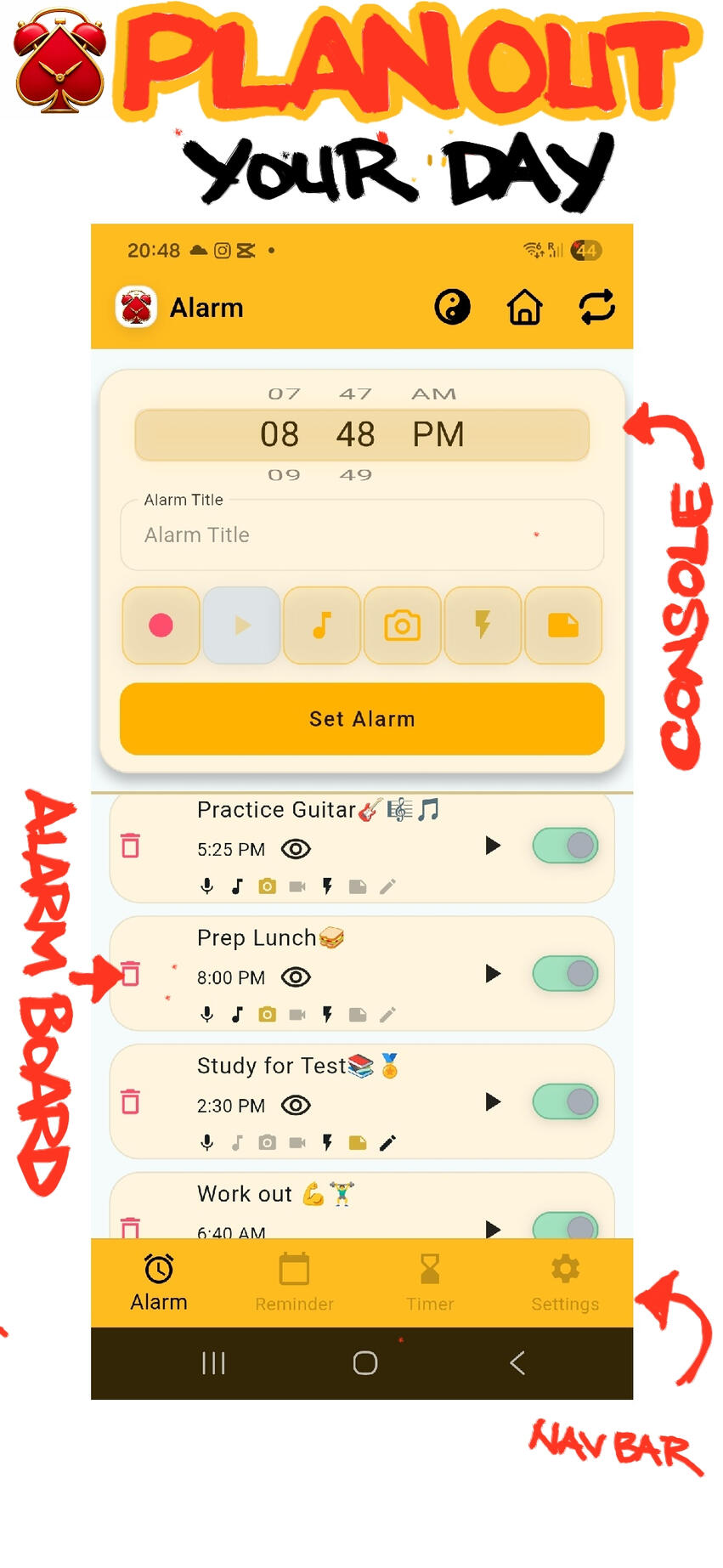
Experience the world's first (free) premium customizable alarm, reminder and timer deck with voice, media and style.Plan out your day.
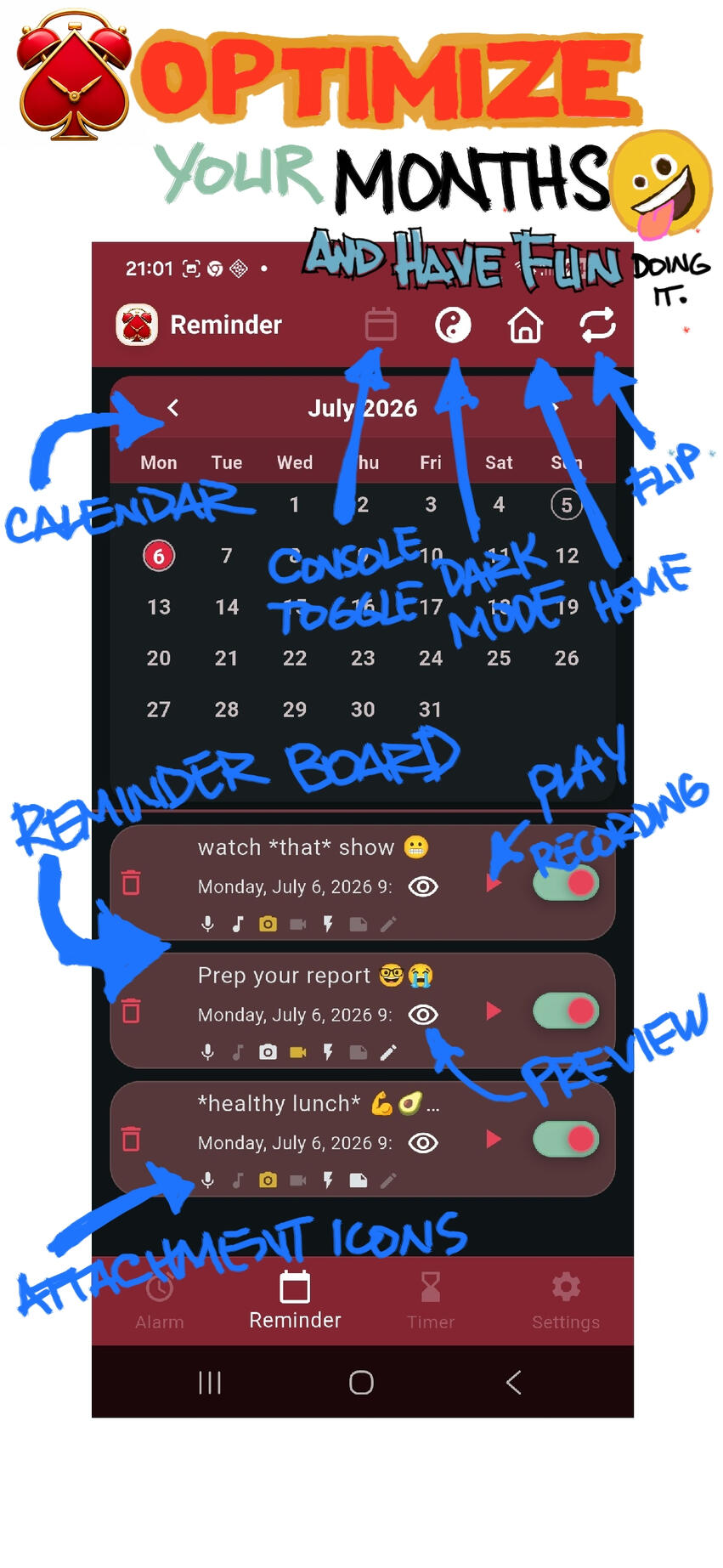
Optimize your Months.
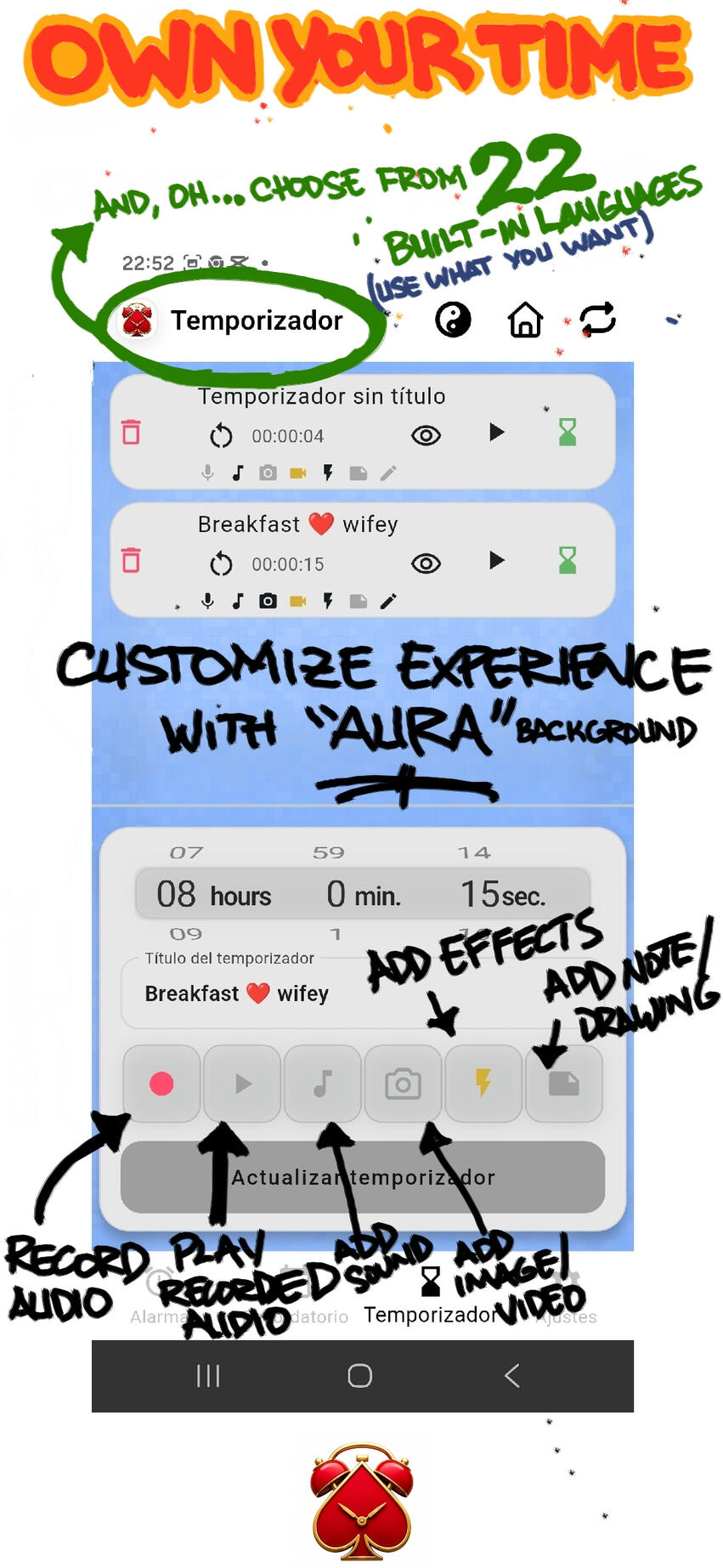
Own your time.
© Jan Carlo Beltran Seña. All rights reserved.
AlarmDeck
When boring alarms are just not enough.
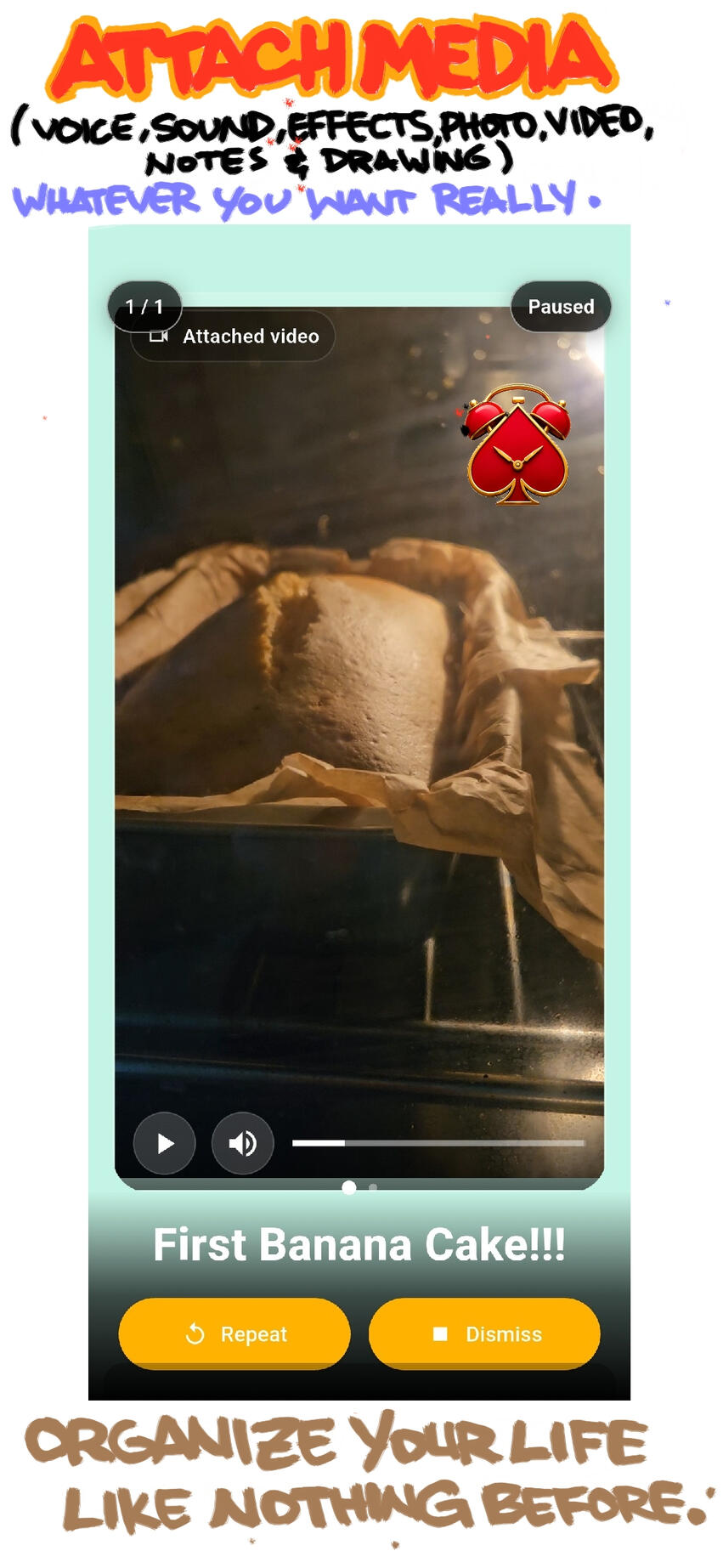
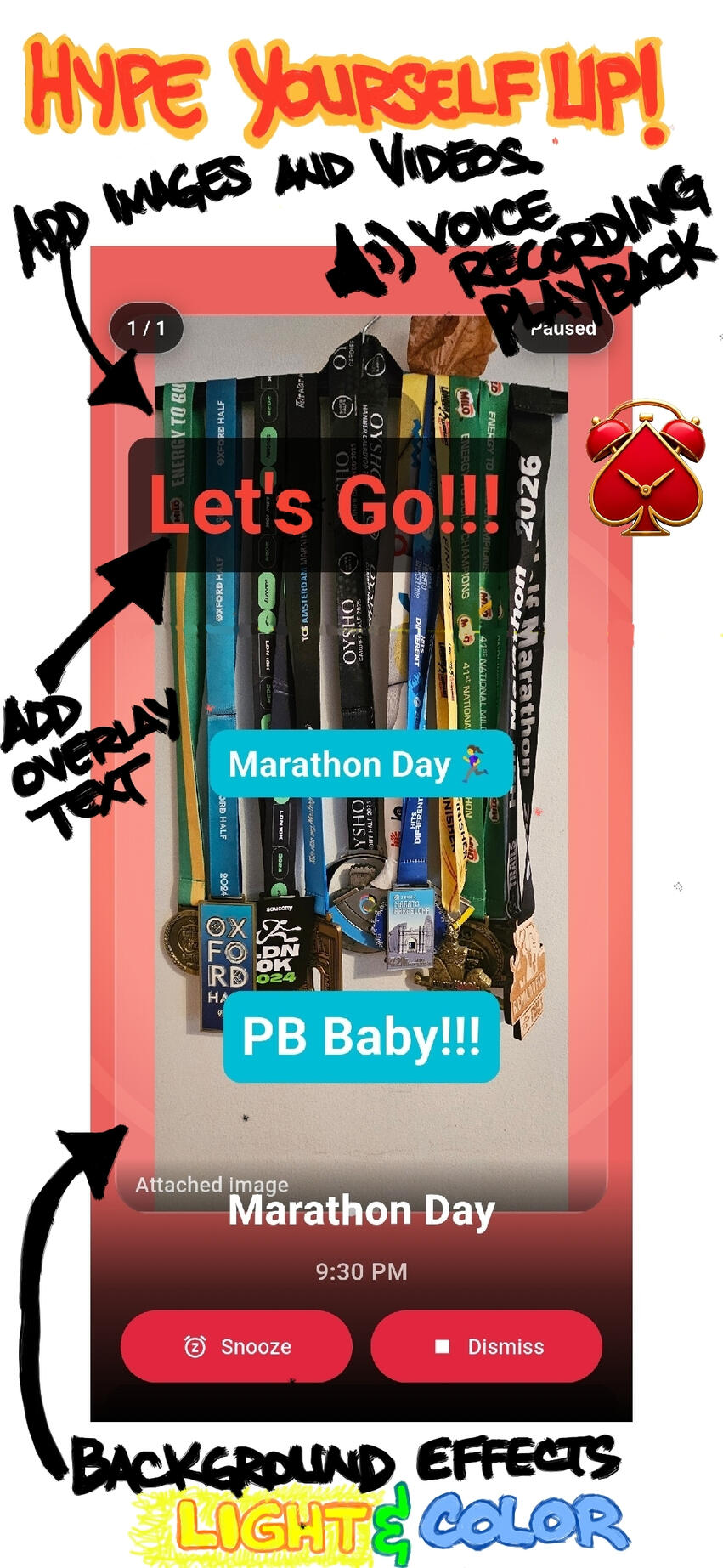
AlarmDeck is THE premium alarm, reminder, and timer app that lets you personalize to your heart's content with all the media that your phone is capable of.Boring alarms just won't cut it anymore.With AlarmDeck, unlock the potential of your devices and set the most aesthetically pleasing, personalized, attention grabbing, informative and fun alarms, reminders and timers.Just to give you an idea of how you can use AlarmDeck, here are a few things you can do:You can wake up to your own voice, telling you to do the thing you promised to do before you went to sleep - like say, run a 5-km perhaps on your way to the gym (perhaps).ORYou can remind yourself with the picture of the toy you promised your daughter (read: that she asked for) last week, when she saw it on TV.ORYou can set a birthday reminder of your girlfriend's beautiful face or if you prefer, your best friend's ugly mug on your screen, flashing with the most intensely satisfying light effects during her birthday - or just because it is a Saturday and you planned to spend weekend together.ORIf you are feeling particularly productive (or forgetful or both) , you can have entire lists of home, school, office or hobby stuff (that you really should know by now but don't) flash in front of you at a set date and time so that you properly "remember" this time.OR(Insert your own needs here... the possibilities are limitless)Alarms, reminders and timers created with AlarmDeck are not just the ordinary dull alarms that you have been setting your entire life (you know the ones that you set because you do not have anything better - well, now you do. You're welcome!), with AlarmDeck, you actually get excited when the alarms you set fire.
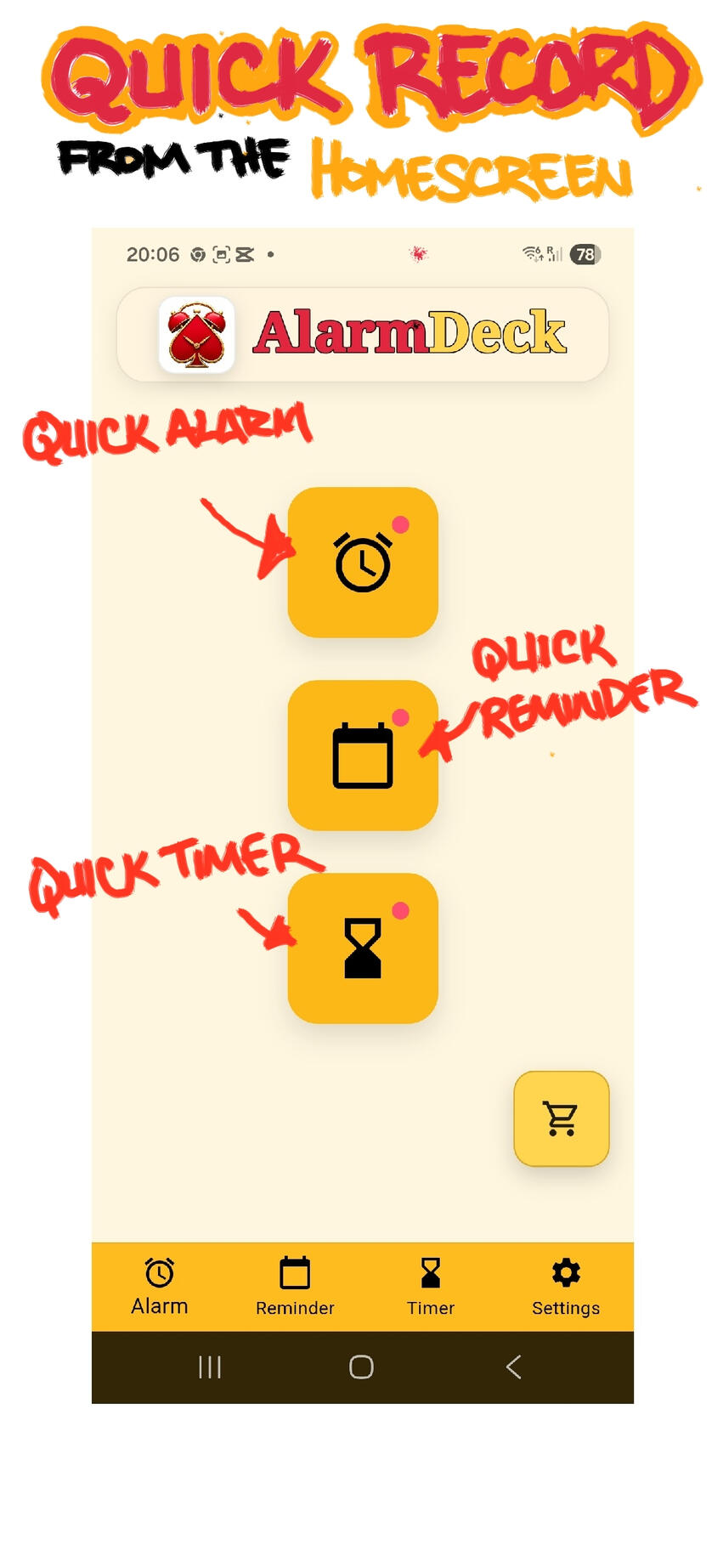
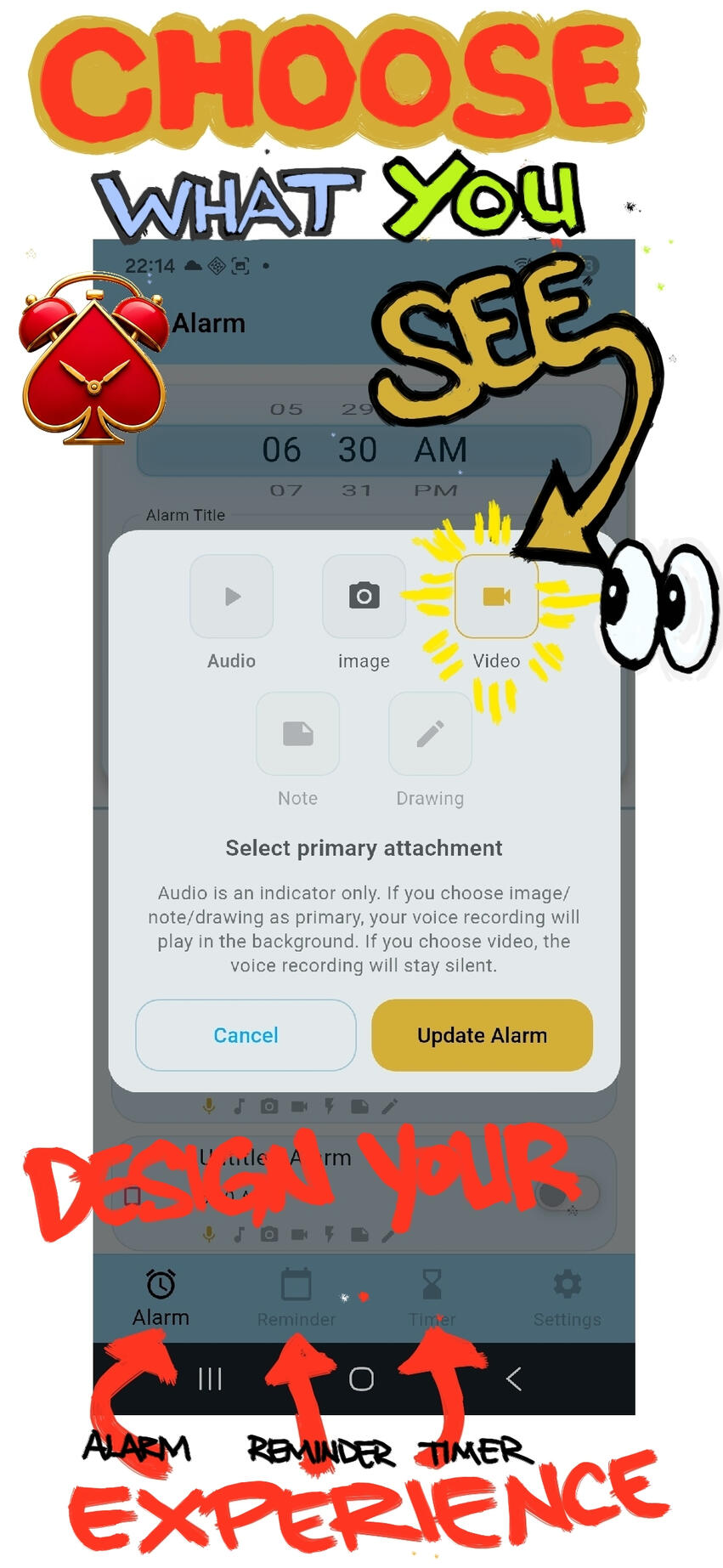
Create alarms, reminders, and timers that feel more personal than standard phone alerts. Add voice recordings, sounds, images, videos, notes, and visual effects to create alert experiences that fit your routine, your style, and your day.AlarmDeck is designed for people who want more than a basic alarm clock. Whether you are waking up, remembering an important task, timing a session, or creating a more expressive alert, AlarmDeck gives you a polished deck-style experience with a fully customizable look and feel.Key features:
• Alarm, Reminder, and Timer modes
Create alerts for waking up, daily tasks, events, routines, and timed sessions.
• Voice and audio alerts
Record your own voice messages or choose sounds for more personal alerts.
• Multimedia attachments
Attach images or videos to help make alerts more visual, memorable, or meaningful.
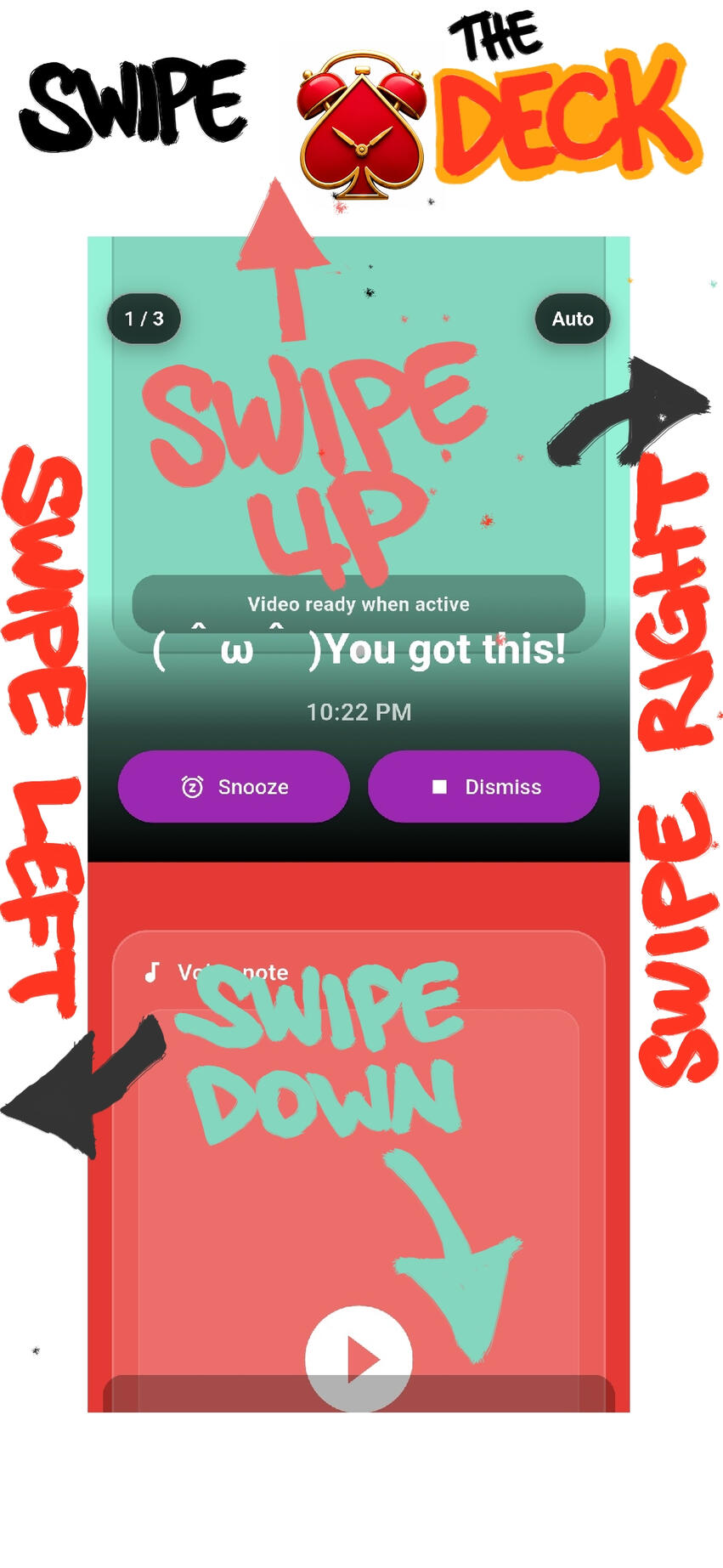
• Trigger Deck experience
When an alarm, reminder, or timer fires, AlarmDeck presents a focused trigger screen designed around the active alert.
• Custom appearance
Choose from curated looks such as Signature and Zinc, or personalize the app through custom appearance controls.
• Visual effects
Add visual flair to selected alerts with supported effects.
• Notes and extra context
Use notes or other attachments to help remember why an alert matters.
• Permission and reliability hub
AlarmDeck includes a dedicated permissions screen to help users configure notifications, exact alarms, full-screen alerts, media permissions, and battery-related settings.• Freemium with ads
Core alarm, reminder, and timer functions are available in the free version. Optional ads may appear in non-critical areas or be used to unlock customization and power-user features for a limited period.Designed with reliability in mind:
AlarmDeck uses Android alarm, notification, full-screen alert, and battery-related settings to help alerts fire and display as reliably as possible. Some device manufacturers may still apply battery or background restrictions, soAlarmDeck provides guidance inside the app to help users configure recommended settings.Important:
AlarmDeck is not a medical, emergency, or safety-critical alert system. Always use appropriate professional or emergency systems for critical needs.
© Jan Carlo Beltran Seña. All rights reserved.
© Jan Carlo Beltran Seña. All rights reserved.
Privacy Policy
AlarmDeck Privacy Policy v1
Effective date: May 30 2026
Developer: Jan Carlo Seña
Contact: [email protected]AlarmDeck is a freemium alarm, reminder, and timer app. This Privacy Policy explains how AlarmDeck handles information when you use the app.1. Information AlarmDeck may collect or storeAlarmDeck is designed to store most user-created alert content locally on your device.Depending on how you use the app, AlarmDeck may store:• Alarm, reminder, and timer settings
• Alert titles
• Scheduled dates and times
• Voice or audio recordings created in the app
• Selected sound settings
• Attached images or videos
• Notes, drawings, or text attachments
• Visual effect and appearance settings
• Permission and reliability preferences
• Custom theme or personalization settings
This information is used to provide the app’s alarm, reminder, timer, customization, and trigger-screen features.2. Voice recordings and media attachmentsIf you choose to record audio, attach images, attach videos, or add notes, that content may be saved locally on your device so AlarmDeck can use it when an alarm, reminder, or timer fires.AlarmDeck does not require you to attach media or record voice messages to use the basic alarm, reminder, or timer functions.3. PermissionsAlarmDeck may request the following permissions depending on the features you use:• Notifications — to show alerts and reminders• Exact alarms — to schedule time-sensitive alarms, reminders, or timers• Full-screen alerts — to help display alarm-style trigger screens where Android allows it• Microphone — to record voice or audio messages• Camera — to capture images or videos for attachments• Photos, videos, music, and audio — to select or attach media• Battery optimization settings — to help users configure device settings that may affect alert reliabilityYou can manage permissions through Android settings.4. AdvertisingAlarmDeck is a freemium app and may display ads.Ads may include native ads in non-critical areas of the app and optional rewarded ads that unlock customization or power-user features for a limited time.AlarmDeck may use Google AdMob or related Google advertising services. These services may collect or process information such as device identifiers, advertising identifiers, approximate location, app interaction data, diagnostics, ad interaction data, and other information as described by Google’s policies and SDK behavior.AlarmDeck does not intend to show ads during active trigger screens, alarm dismissal, snooze/repeat actions, recording, permission setup, notification recovery, or the act of setting alarms, reminders, or timers.5. Analytics and diagnosticsAlarmDeck may use diagnostics or analytics in the future to understand app performance, crashes, reliability, feature usage, and ad performance.If analytics are added, this Privacy Policy and the Google Play Data Safety information should be updated to reflect the data collected and how it is used.6. Sharing of informationAlarmDeck does not sell your personal information.Some data may be processed by third-party services used in the app, such as advertising providers, app stores, crash reporting, analytics, or platform services, if those services are added or enabled.7. ChildrenAlarmDeck is not specifically designed for children. The app is intended for general productivity and personal time management use.8. Data retentionAlarmDeck stores user-created alarms, reminders, timers, recordings, media attachments, notes, and settings until you delete them, clear app data, or uninstall the app.Ad-related data may be retained by advertising providers according to their own policies.9. User controlsYou can:• Delete alarms, reminders, and timers inside the app• Remove recordings, media, notes, or custom settings where supported• Change permissions through Android settings• Clear app data through Android settings• Uninstall the app to remove locally stored app data from your device10. Changes to this Privacy PolicyThis Privacy Policy may be updated as AlarmDeck changes, especially if new features, ads, analytics, cloud features, accounts, sharing, or premium services are added.11. ContactFor privacy questions, contact:
[email protected]
© Jan Carlo Beltran Seña. All rights reserved.
I created AlarmDeck because this is what I want in an alarm.I made it free because I know everyone wants the same thing.-JC
AlarmDeck Creator